How SaaS Applications Handle Different Customer Configurations
How SaaS Applications Handle Different Customer Configurations
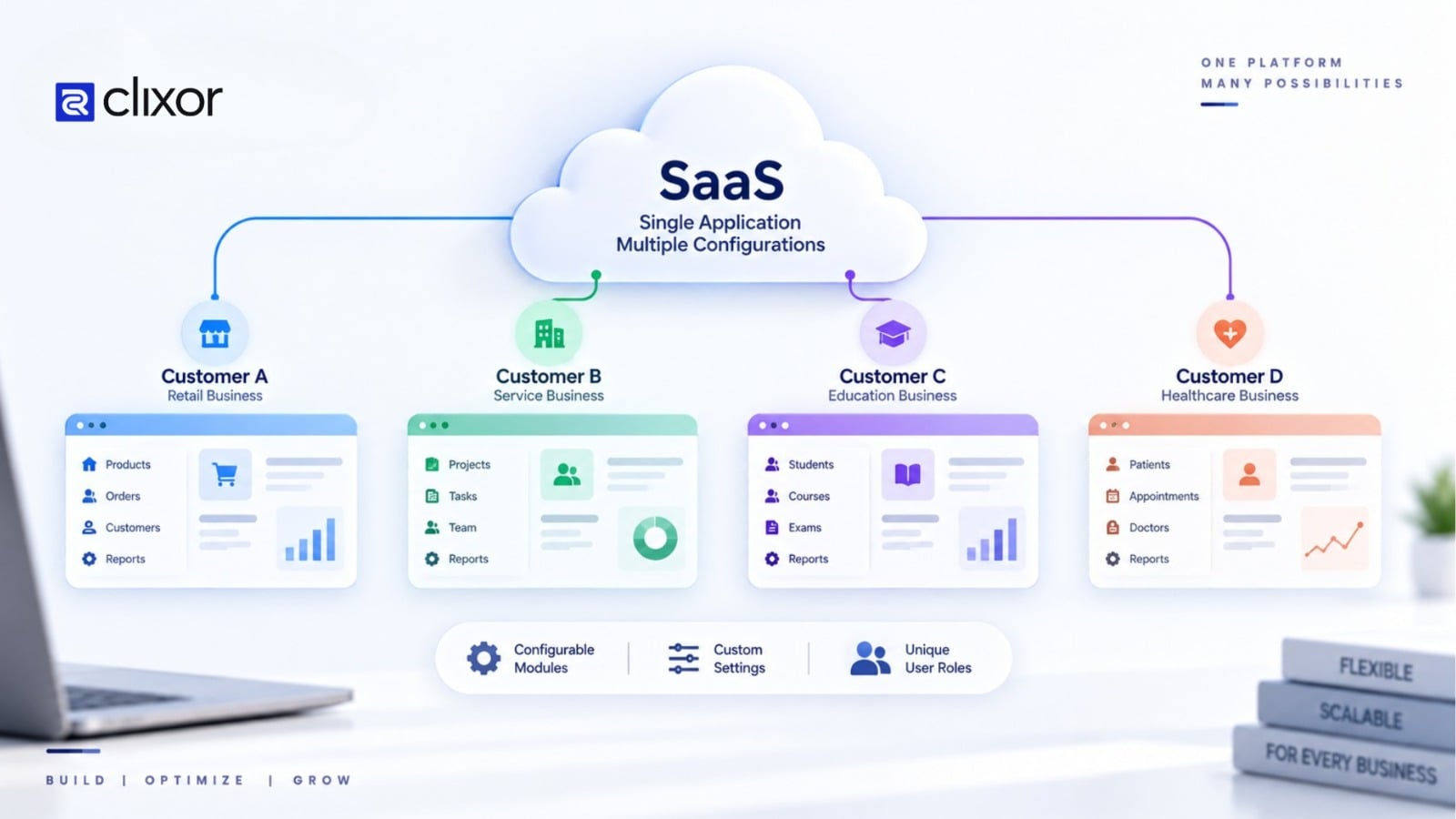
A SaaS application may serve hundreds or thousands of businesses, but not every customer uses the software in the same way. One company may need specific features, another may require different user permissions, and a larger customer may need custom workflows or integrations.
This creates a key development challenge: how do SaaS applications handle different customer configurations without building a separate application for each customer?
The solution usually combines configuration, tenant-specific settings, permissions, feature controls, and flexible application architecture.
What Are Customer Configurations in SaaS?
Customer configurations are settings that allow each business using a SaaS application to adjust the software according to its requirements.
These settings may include:
User roles and permissions
Branding and themes
Notification preferences
Business workflows
Feature availability
Subscription limits
Tax or billing settings
Third-party integrations
For example, a project management SaaS platform may allow one company to create five user roles while another company uses ten roles with different permissions.
The underlying application remains the same, but the configuration changes.
1. Tenant-Specific Settings
Most multi-tenant SaaS applications associate customer-specific settings with a particular tenant.
A tenant generally represents an individual organization or customer account.
For example, a SaaS CRM could store settings such as company name, preferred currency, notification rules, and enabled features for each tenant.
When a user logs in, the application identifies the tenant and loads the appropriate configuration.
This allows multiple customers to use the same platform while maintaining separate settings and data.
For businesses building software that needs to support different customer requirements, custom application development can provide flexibility in how tenant-specific functionality is designed.
2. Role-Based Access Control
Different employees within the same customer organization may also require different access levels.
Role-Based Access Control, or RBAC, allows administrators to define what users can view or perform.
For example:
An administrator can manage users and settings.
A manager can access reports and team information.
An employee can update assigned tasks.
A viewer may only have read access.
This makes the SaaS application flexible without requiring separate versions for different customers.
Access control should also be designed carefully so that permissions remain isolated between customers. The OWASP Authorization Cheat Sheet provides practical guidance on implementing authorization controls.
3. Feature Flags
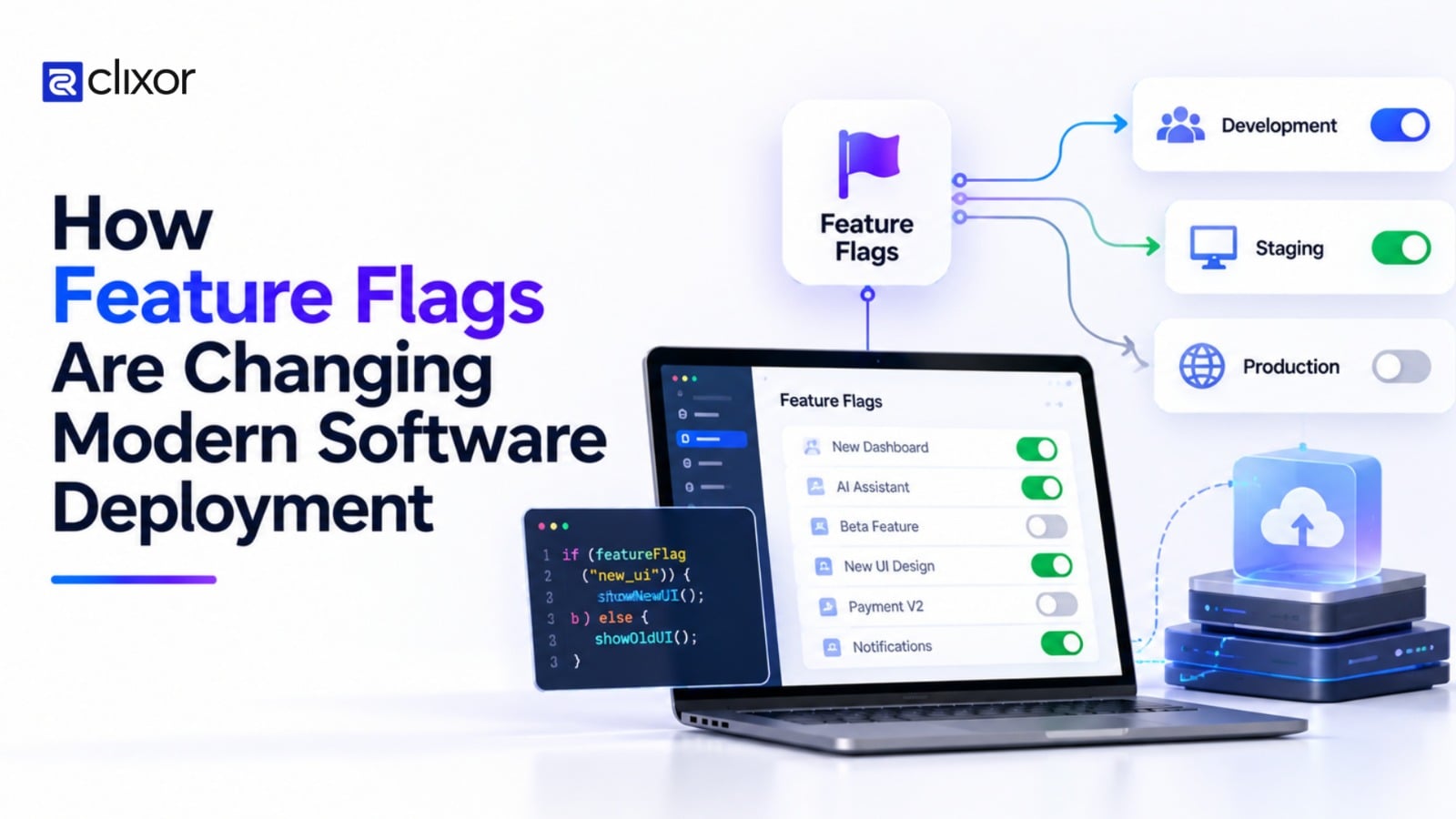
Feature flags allow SaaS providers to enable or disable specific functionality for selected customers.
For example, a new reporting feature could initially be available only to selected customers. Once it has been tested successfully, it can be enabled for more users.
Feature flags can also support different subscription plans.
A basic plan may have standard features, while a premium plan may include advanced analytics, integrations, or automation tools.
For teams managing feature releases and customer-specific functionality, LaunchDarkly's feature management guidance provides information about using feature flags to control application functionality.
4. Configuration-Driven Workflows
Different businesses often follow different processes.
Instead of hard-coding every workflow, SaaS applications can use configurable rules.
For example, an approval system could allow one organization to require manager approval while another requires both manager and finance approval.
The application uses configuration data to determine which workflow should run.
This makes the system easier to adapt as customer requirements change.
When different business systems need to communicate as part of these workflows, API development and integration can help connect the SaaS platform with external applications and services.
5. Custom Branding and Preferences
Many SaaS platforms allow customers to customize the application’s appearance.
This can include company logos, colors, email templates, notification settings, and other preferences.
These customizations improve the customer experience while allowing the provider to maintain one core application.
6. Managing Configuration Safely
Flexible configuration also creates technical responsibilities.
Configuration data should be properly validated, stored securely, and separated between tenants. A change made by one customer should never accidentally affect another customer.
Developers should also maintain clear defaults so the application continues to work when a customer has not customized a particular setting.
For SaaS platforms handling sensitive customer configurations, OWASP Application Security Verification Standard can provide security requirements that help teams build and verify application controls.
FAQs
1. What is customer configuration in SaaS?
Customer configuration refers to settings that allow each organization to customize features, permissions, workflows, branding, and other parts of a SaaS application.
2. Why is configuration important in SaaS applications?
It allows one application to support different business requirements without creating a separate software version for every customer.
3. How does multi-tenancy support customer configurations?
Multi-tenancy allows multiple organizations to use the same application while keeping their data and tenant-specific settings logically separated.
4. What are feature flags in SaaS?
Feature flags control whether specific features are available to particular customers, users, environments, or subscription plans.
5. Can SaaS customers have completely different workflows?
Yes. A well-designed SaaS platform can support different workflows through configurable rules, permissions, and business settings.
Conclusion
SaaS applications need to support different customers without becoming separate products. Customer configurations make this possible by allowing organizations to customize settings, permissions, features, workflows, and branding within the same platform.
Tenant-specific settings, RBAC, feature flags, configurable workflows, and secure configuration management are important building blocks for flexible SaaS architecture.
In short, SaaS applications handle different customer configurations by combining tenant-specific settings, role-based access control, feature flags, configurable workflows, and secure configuration management. These capabilities let one platform support many business needs while keeping the core product consistent and maintainable.
About the author
- Clixor Technologies shares expert insights on AI, software development, ERP, cloud computing, digital transformation, and business technology.
Comments
Join the discussionNo comments yet. Be the first to comment.